What Is reCAPTCHA? v2, v3 and Enterprise Explained
What is reCAPTCHA? How Google's bot check works, how v2, v3 and Enterprise differ, why it keeps showing images, and what changed with Fraud Defense.
reCAPTCHA is Google's bot check for websites. A site adds Google's script, the script watches how the visit behaves and, depending on the version, shows an "I'm not a robot" checkbox, an image grid, or nothing at all. Either way it hands the page a short-lived token, and the site's server asks Google whether that token is good. Since April 2026 reCAPTCHA has been part of Google Cloud Fraud Defense, but the widgets visitors see have not changed.
This guide explains what reCAPTCHA is, how a check works from page load to server verdict (we recorded what Google's own demo page loads on 12 November 2026), how v2, v3 and Enterprise differ, why it sometimes keeps asking you to pick images, and where automation fits. We run CaptchaNo, a captcha-solving API, so the last section says plainly which reCAPTCHA types we handle and which we do not.
What is reCAPTCHA?
reCAPTCHA is a free-to-start Google service that scores whether a visit to a page looks human, and gives the site a token it can verify. A CAPTCHA is any test meant to tell people from bots; reCAPTCHA is Google's version of it.
It started as a Carnegie Mellon University research project and was bought by Google in 2009. The first version showed two distorted words, one of them taken from scanned books, so every answer also helped digitise text. That version was shut down on 31 March 2018. What sites use today is one of three things:
- reCAPTCHA v2: the "I'm not a robot" checkbox, which only shows an image puzzle when it is unsure, plus an invisible variant tied to a button.
- reCAPTCHA v3: no widget at all. It returns a score between 0.0 and 1.0 and leaves the decision to the site.
- reCAPTCHA Enterprise: the Google Cloud version, with finer scores, reason codes and account-level fraud features, now sold as tiers of Fraud Defense.
If you only want the difference between the first two, our side-by-side of reCAPTCHA v2 and v3 goes deeper. The rest of this page is the whole picture.
How does reCAPTCHA work?
Every reCAPTCHA check has the same three parts: a script in the browser, a token, and a server-side verification. The visible widget is only the middle of that chain.
- The site loads Google's script. The page includes
api.jsand a public site key that identifies the site to Google. - Google assesses the visit. The script collects signals about the browser and how the visitor interacts with the page. Google does not publish the full list.
- The page gets a token. With v2 this happens when the checkbox (or the image puzzle) is passed; with v3 when the site calls
executefor an action such as "login". - The site's server verifies the token. It sends the token and its secret key to Google and gets back a verdict: success or failure for v2, plus a score and the action name for v3.
- The site decides. Pass the request, ask for more proof, or block it. reCAPTCHA never blocks anything on its own; the site's code does.
Two rules from Google's server-side verification guide explain most real-world failures: each token is valid for two minutes, and it can be verified only once. A late or reused token comes back with the error timeout-or-duplicate. That is why tokens that look valid still get refused, a problem we cover in why a valid captcha token keeps getting rejected.
What a reCAPTCHA page actually loads
To show the chain in practice, we opened Google's public demo page (google.com/recaptcha/api2/demo) in headless Chromium with Playwright on 12 November 2026 and logged every request to Google's reCAPTCHA hosts. We did not click the checkbox or solve anything. In order:
| Time after load | Request | What it is |
|---|---|---|
| 0.15 s | www.google.com/recaptcha/api.js | The loader the site embeds |
| 0.25 s | www.gstatic.com/recaptcha/releases/<version>/recaptcha__en.js | The versioned main script, in the page's language |
| 0.37 s | www.google.com/recaptcha/api2/anchor | The 304 x 78 iframe that draws the checkbox; its URL carries the site key |
| 0.56 s | www.google.com/recaptcha/api2/webworker.js | A background worker started from the checkbox frame |
| 2.9 s | www.google.com/recaptcha/api2/bframe | The hidden challenge frame, titled "recaptcha challenge expires in two minutes", loaded before any click |
The page also held a hidden textarea named g-recaptcha-response (set to display: none), which is where the token lands when the check passes and what the form submits. One cookie was set: _GRECAPTCHA on www.google.com, HttpOnly. Google's reCAPTCHA FAQ describes it as a necessary cookie used for its risk analysis, and says sites that prefer to avoid the google.com domain can load everything from www.recaptcha.net instead.
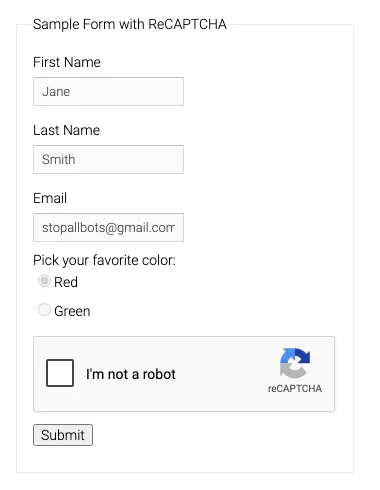
Google's reCAPTCHA v2 demo page as our script loaded it on 12 November 2026. The checkbox is the anchor iframe from the table above.
reCAPTCHA v2, v3 and Enterprise compared
The versions differ in what the visitor sees and in what the site gets back. All of them rely on the same Google risk analysis underneath.
| reCAPTCHA v2 | reCAPTCHA v3 | reCAPTCHA Enterprise | |
|---|---|---|---|
| What visitors see | Checkbox, image grid when unsure; invisible variant shows only the badge | Nothing but the badge | Checkbox or nothing, depending on key type |
| What the site gets | Pass or fail | Score 0.0 to 1.0 and the action name | Score, and reason codes on paid tiers |
| Who decides | Google, through the puzzle | The site, using a threshold (Google suggests 0.5 to start) | The site, with more detail to work from |
| Script | api.js | api.js?render=<site key> | enterprise.js |
| Server call | siteverify | siteverify | Create assessment in Google Cloud |
On classic v3 keys the score is less precise than "0.0 to 1.0" suggests: it comes in four steps, which is why people keep seeing 0.1, 0.3, 0.7 or 0.9. Our guide to what each reCAPTCHA v3 score means explains where those levels come from and how sites set thresholds.
How to tell which reCAPTCHA a site uses
Open the browser's developer tools, look at the Network tab, and check which script loads. enterprise.js means Enterprise. api.js?render= followed by a key means v3. Plain api.js with an anchor iframe and a checkbox means v2; plain api.js with only the badge in the corner and a data-size="invisible" attribute means invisible v2. The site key sits in the k= parameter of the anchor URL or in a data-sitekey attribute. If the widget shows a red site-owner error instead, or a ticked box still gets rejected, here is how to fix a failed reCAPTCHA verification.
What changed in 2026: reCAPTCHA is now part of Fraud Defense
Google now presents reCAPTCHA as part of Google Cloud Fraud Defense, a platform for bot, account and transaction protection. Google's release notes date the change to 22 April 2026, and it does not change how existing widgets work.
Three things follow from it. First, the classic developer pages for v2 and v3 carry a red "This page is deprecated" banner pointing to the Fraud Defense docs, as in the screenshot below. The keys still work; the documentation moved. Second, the Fraud Defense overview describes three usage-based tiers (Essentials, Premium and Enterprise), so "Enterprise" is now both the old product name and the top tier. Third, classic keys were moved into Google Cloud projects, which changed the free allowance. Many top-ranking explainers still quote the old free terms; check Google's current tier page, or the summary in our v2 vs v3 post, before relying on any figure.
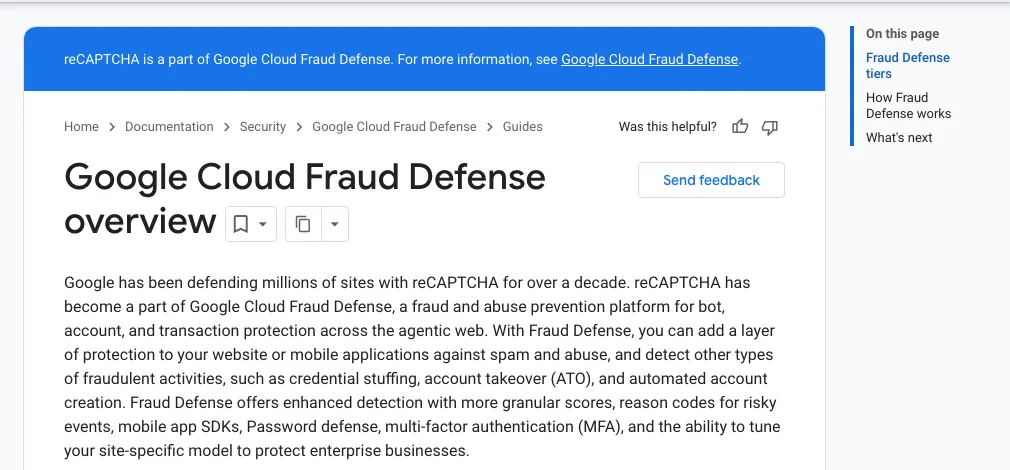
Google's Fraud Defense overview, captured 12 November 2026: "reCAPTCHA has become a part of Google Cloud Fraud Defense".
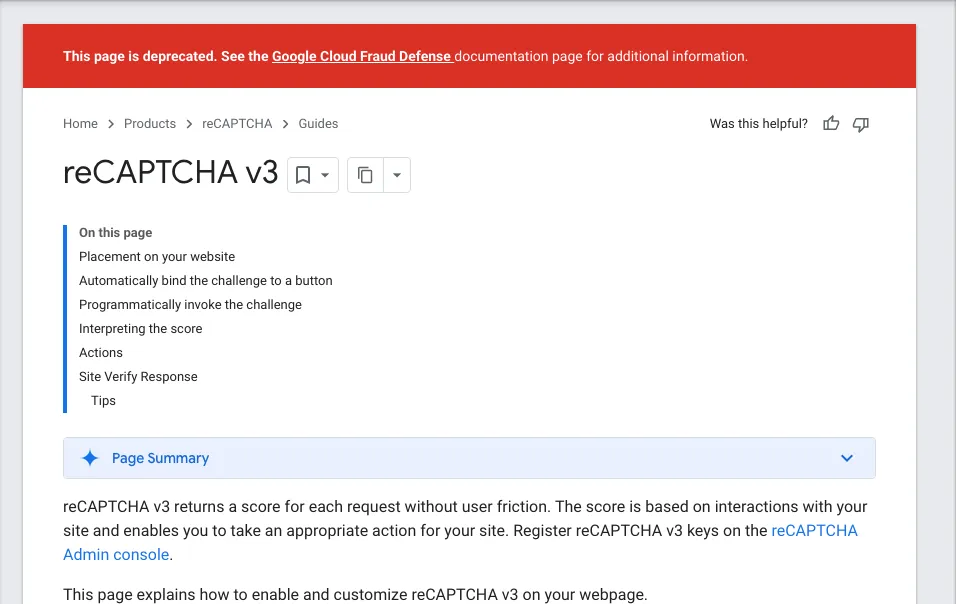
The classic reCAPTCHA v3 guide on developers.google.com, 12 November 2026. The banner deprecates the page, not v3 keys.
For what Enterprise adds in detail (score levels, reason codes, key types and migration), see reCAPTCHA Enterprise explained.
Why reCAPTCHA keeps asking you to select images
You get the image grid when Google's risk analysis is not confident you are a person, and it keeps coming back while that stays true. The checkbox alone is enough for most visits; the grid is the fallback.
Google does not publish its signals, so no one can give you a guaranteed fix. The common causes are ones that make a visit look unfamiliar or shared: a VPN or a busy shared IP address, a browser that blocks or clears Google cookies, privacy extensions that interfere with the script, and pages opened by automation tools. Some practical steps:
- Turn off the VPN for that site, or switch to a different server.
- Allow cookies for google.com (or recaptcha.net) and try again in a normal, non-private window.
- Disable extensions one at a time to see if one breaks the widget.
- Take the audio challenge if the images are hard to read; it is offered in the same window.
If Google Search itself is showing you the check with a message about unusual traffic, the cause is usually the network, not your browser; our guide to Google's "unusual traffic" page covers that case. And for why the grid can repeat three or four times in a row, see why the select-images grid keeps coming back.
Is reCAPTCHA safe, and what does it collect?
Yes, the reCAPTCHA widget itself is safe: it is Google's code, loaded from Google's domains. The fair concern is privacy, not security, because the risk analysis depends on signals about your browser and behaviour, and the script runs on a Google domain.
What we can state from sources: Google's FAQ names one necessary cookie, _GRECAPTCHA, and offers recaptcha.net as an alternative domain for sites that want to keep reCAPTCHA off google.com. Sites may hide the badge only if they show the text "This site is protected by reCAPTCHA" in the user flow. Sites subject to GDPR or similar laws often cover reCAPTCHA in their privacy notice or consent banner; whether that is required for a given site is a legal question for that site, not something this page can settle.
A fake "verify you are human" box that asks you to press keys or paste a command into Run or Terminal is not reCAPTCHA. Real reCAPTCHA never asks you to run anything on your computer.
Does reCAPTCHA stop bots?
It stops cheap, unsophisticated bots and raises the cost for the rest; it does not make a site bot-proof. Google's own guidance treats the result as one signal: v3 returns a score and expects the site to choose a threshold and act, rather than blocking outright.
For site owners, the practical consequences are to verify every token on the server (checking the hostname and, for v3, the action), to never trust a token the client says is valid, and to combine the score with your own signals such as rate limits. Alternatives exist; our comparison of Cloudflare Turnstile and reCAPTCHA covers the main one. If you need to test a form without fighting the widget, Google publishes test keys that always pass, and our walkthrough on testing reCAPTCHA and Turnstile with test keys shows how to use them.
How CaptchaNo handles reCAPTCHA
CaptchaNo returns reCAPTCHA tokens for automation you are authorised to run, such as testing your own forms, QA, or agents working on accounts you control. You send the site key and page URL to one API, our own solving infrastructure produces the token, and you put it where the widget would.
- reCAPTCHA v2, checkbox and invisible: see the reCAPTCHA v2 solver.
- reCAPTCHA v3 on classic keys, with the action and minimum score you need: see the reCAPTCHA v3 solver.
- reCAPTCHA Enterprise checkbox-style widgets, with the same request shape as v2.
- Not supported: score-based reCAPTCHA Enterprise keys. We would rather say so than bill you for tokens that fail.
Only successful solves are billed, failed solves are never charged, and credit does not expire; rates are on the reCAPTCHA solver pricing page. Questions go to support@captchano.com and are answered by the engineers who run the service. The token still has to be used within Google's two-minute window and with the same page URL, so the timing rules above apply to any solver.
Frequently Asked Questions
Is reCAPTCHA free?
It is free up to a monthly allowance and paid above it. Since classic keys moved into Google Cloud, the free allowance is counted per organisation across all keys, and higher Fraud Defense tiers are billed by usage. Many older articles quote free terms from before the migration, so check Google's current tier comparison before planning a high-traffic site around a free key.
What is the difference between CAPTCHA and reCAPTCHA?
CAPTCHA is the general idea: any test that tells people and bots apart, such as distorted text, a math question or an image puzzle. reCAPTCHA is Google's specific CAPTCHA service. It goes further than a single puzzle by scoring the whole visit in the background, so most people pass with one click or without seeing anything, and only doubtful visits get a challenge.
Why do I have to verify I'm not a robot so often?
Because reCAPTCHA is not confident about your visit. Shared or VPN IP addresses, blocked or cleared cookies, privacy extensions and automated browsers all make a visit look less familiar to Google's risk analysis. Turning off the VPN for the site, allowing Google cookies and trying a clean browser window usually reduces how often the checkbox and image grid appear.
Can reCAPTCHA be bypassed or solved automatically?
The challenge can be solved automatically, which is why sites should verify tokens on their server and treat the result as one signal among several. For legitimate automation such as testing your own forms, a solving API returns a token from the site key and page URL. Using that against sites whose terms forbid automation is not something we support.
Is reCAPTCHA v2 being discontinued?
No discontinuation date has been announced for v2 or v3 keys. In 2026 Google deprecated the classic documentation pages and moved reCAPTCHA into Google Cloud Fraud Defense, but its release notes say existing reCAPTCHA functionality is not affected. Existing v2 checkboxes keep working; new setups are documented in the Fraud Defense docs.
Generate reCAPTCHA tokens from one API
If reCAPTCHA sits in front of a workflow you are authorised to automate, read the site key, send it with the page URL, and submit the token in g-recaptcha-response. Open the CaptchaNo docs and send your first reCAPTCHA solve; the SDKs for Python, Node.js, Go and PHP cover v2, v3 and Enterprise checkbox widgets.