Browser Use Captcha Solver: Add a Solve Action
Add a captcha solver to a Browser Use agent: one custom action that reads the widget, fetches a token and fills it in. Checked on browser-use 0.13.11.
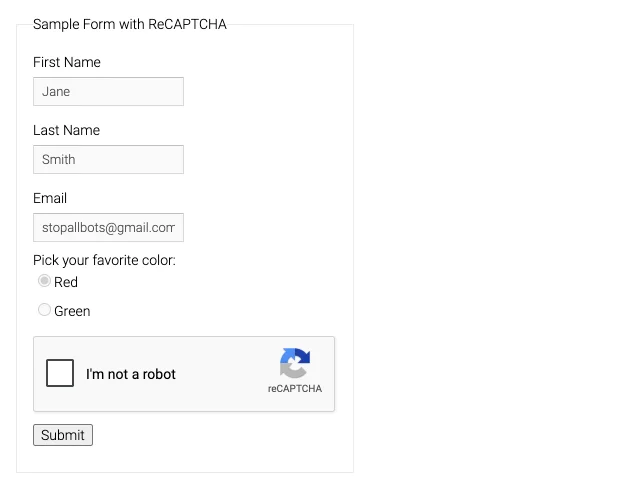
Browser Use can click a reCAPTCHA checkbox, but it can't answer the image challenge that automated browsers usually get next. A dependable Browser Use captcha solver is a custom action. The agent calls it, and the action reads the widget from the live page, gets a token from a solving API, writes the token into the page and fires the widget's callback. This guide builds that action for reCAPTCHA v2 and Cloudflare Turnstile and checks it against browser-use 0.13.11. A shorter version is on our Browser Use integration page.
Can Browser Use solve captchas on its own?
Not reliably. The agent sees a challenge as one more page element. It may click the checkbox, take a screenshot of an image grid, or report that it handled a block it never got past. None of that produces a token the site will accept.
The search results for this topic mostly offer one of two fixes. The first is a hosted browser with solving built in. Steel, Browserless, Browserbase and Hyperbrowser all document a session flag for this, and Browserless's May 2026 changelog names a Browser Use integration that needs browser-use 0.12.0 or later. That works if you already run your agents on that provider. The second fix is a framework-agnostic tool: one action you own, which works with a local Chromium, a remote CDP browser or any provider. This guide covers the second fix. Our overview of captcha solving for AI agents explains why a typed tool beats letting the model improvise.
What we checked before writing the code
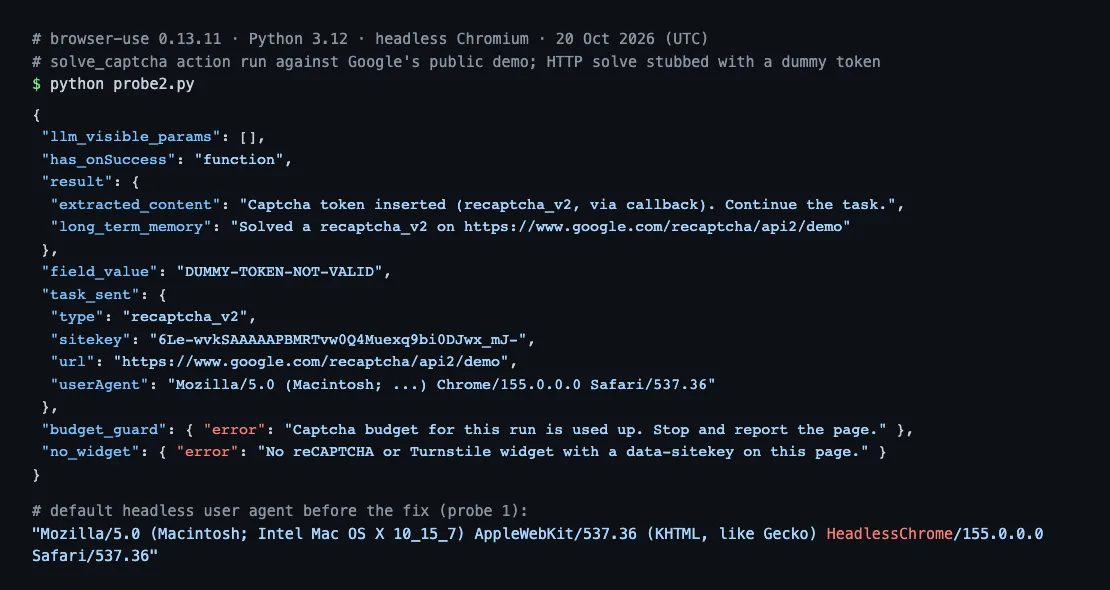
We installed browser-use 0.13.11 (Python 3.12, headless Chromium 155) on 20 October 2026. Then we ran two read-only probes against Google's public reCAPTCHA demo and Cloudflare's public Turnstile demo, with no language model attached. In the second probe we ran the exact action below with the HTTP solving request stubbed out to return a dummy token. No captcha was solved and no solving API was called, so this checks the browser side only. Five findings shaped the code:
- The default headless user agent gives the browser away. It contained
HeadlessChrome/155.0.0.0, even thoughnavigator.webdriverwasfalse. Passinguser_agent=toBrowser()replaced it with a normal Chrome string. page.evaluateonly accepts arrow functions. Passing"document.title"raisedValueError: JavaScript code must start with (...args) => format. Extra arguments are JSON-encoded, so a token with quotes in it went through intact.- An action that takes only
browser_sessionshows the model no parameters at all. The JSON schema the LLM receives for it had zero properties. The model can't invent a sitekey or a URL, because the action reads both from the page. - Google's demo uses a callback. The widget carries
data-callback="onSuccess", andwindow.onSuccessexists. Filling the hidden field without calling it skips what the page expects next. - Cloudflare's demo runs on a test sitekey (
1x00000000000000000000AA). That's handy for checking detection and injection, but it says nothing about solving.
Step 1: Configure the browser like the solve request
Start the browser with the user agent and proxy you'll also send to the solving API. A token is checked against the context that earned it, and a headless user agent or a different exit IP is the usual reason a valid token gets refused.
pip install browser-use requestsfrom browser_use import Browser
from browser_use.browser import ProxySettings
UA = ("Mozilla/5.0 (Macintosh; Intel Mac OS X 10_15_7) AppleWebKit/537.36 "
"(KHTML, like Gecko) Chrome/155.0.0.0 Safari/537.36")
browser = Browser(
headless=True,
user_agent=UA,
proxy=ProxySettings(server="http://203.0.113.10:8000", username="user", password="pass"),
)Unlike Chrome's own --proxy-server switch, which the Selenium captcha guide works around, ProxySettings takes a username and password directly. Leave the proxy out if the agent browses without one. You can still send the user agent.
Step 2: Write the Browser Use captcha solver action
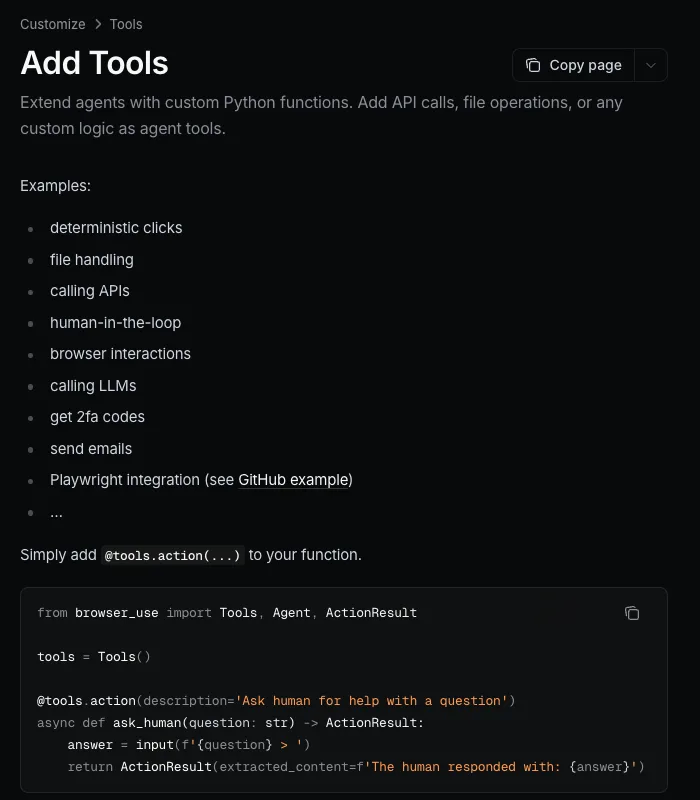
The action reads the widget, requests a token, injects it and tells the agent what happened. Custom actions are registered with @tools.action, and Browser Use injects special parameters such as browser_session by name, as described in its Add Tools documentation. A misspelled name fails silently, so copy it exactly.
import asyncio
import json
import os

import requests
from browser_use import ActionResult, BrowserSession, Tools

CAPTCHANO_KEY = os.environ["CAPTCHANO_KEY"]
PROXY = os.environ.get("PROXY_URL")   # same proxy as the browser, or None
MAX_SOLVES = 3                        # per agent run

DETECT = """() => {
  const el = document.querySelector('[data-sitekey]');
  if (!el) return null;
  return {
    kind: el.classList.contains('cf-turnstile') ? 'turnstile' : 'recaptcha_v2',
    sitekey: el.getAttribute('data-sitekey'),
    callback: el.getAttribute('data-callback'),
    url: location.href,
    userAgent: navigator.userAgent,
  };
}"""

INJECT = """(token, field, callback) => {
  document.querySelectorAll('[name="' + field + '"]').forEach(f => { f.value = token; });
  if (callback && typeof window[callback] === 'function') { window[callback](token); return 'callback'; }
  return 'field';
}"""


def solve(task: dict) -> dict:
    r = requests.post(
        "https://api.captchano.com/v1/solve",
        params={"wait": 60},
        json=task,
        headers={"Authorization": f"Bearer {CAPTCHANO_KEY}"},
        timeout=75,
    )
    data = r.json()
    if data.get("status") != "ready":
        raise RuntimeError(data.get("error") or str(data))
    return data["solution"]


tools = Tools()
solves_used = 0


@tools.action(
    "Call this when a reCAPTCHA or Cloudflare Turnstile widget blocks the current page. "
    "It reads the widget, gets a token and fills it in. Do not click the captcha checkbox yourself. "
    "After it succeeds, continue with the form (for example click Submit)."
)
async def solve_captcha(browser_session: BrowserSession) -> ActionResult:
    global solves_used
    if solves_used >= MAX_SOLVES:
        return ActionResult(error="Captcha budget for this run is used up. Stop and report the page.")

    page = await browser_session.must_get_current_page()
    raw = await page.evaluate(DETECT)
    if not raw or raw == "null":
        return ActionResult(error="No reCAPTCHA or Turnstile widget with a data-sitekey on this page.")
    widget = json.loads(raw)

    task = {"type": widget["kind"], "sitekey": widget["sitekey"],
            "url": widget["url"], "userAgent": widget["userAgent"]}
    if PROXY:
        task["proxy"] = PROXY

    try:
        solution = await asyncio.to_thread(solve, task)
    except Exception as e:
        return ActionResult(error=f"Solve failed: {e}")
    solves_used += 1

    field = "cf-turnstile-response" if widget["kind"] == "turnstile" else "g-recaptcha-response"
    how = await page.evaluate(INJECT, solution["token"], field, widget["callback"])
    return ActionResult(
        extracted_content=f"Captcha token inserted ({widget['kind']}, via {how}). Continue the task.",
        long_term_memory=f"Solved a {widget['kind']} on {widget['url']}",
    )
Why each part is there
asyncio.to_thread: the solve call blocks for up to a minute. Runningrequestsdirectly inside an async action would freeze the agent's event loop for that time.- The page's own user agent goes into the task. The action reads
navigator.userAgentinstead of trusting a constant, so the token is requested for the browser that will submit it. - Errors go back as
ActionResult(error=...). The agent sees a clear failure it can branch on, instead of an exception it may retry blindly. - The callback is called by name from
data-callback. Google documentsdata-callbackas the function run on a successful response. If the page has none, the hidden field alone is filled and the form submit sends it.
Request fields such as proxy, userAgent and Turnstile's cData are listed in the CaptchaNo API reference. Read the key from an environment variable, never from the source file.
Step 3: Give the agent the tools and a clear task
Pass the tools object and the browser to the agent, and repeat the rule about the checkbox in the task. Steel's Browser Use recipe makes the same point for its own wait tool: if the prompt doesn't say otherwise, the agent tends to click the widget itself.
import asyncio
from browser_use import Agent, ChatOpenAI

agent = Agent(
    task=("Open https://example.com/contact, fill the form and submit it. "
          "If a captcha appears, call solve_captcha instead of clicking it."),
    llm=ChatOpenAI(model="gpt-4.1-mini"),
    browser=browser,
    tools=tools,
)
asyncio.run(agent.run())
Any chat model Browser Use supports works here. The action itself makes no LLM calls. Its description is the only thing the model reads, so state when to call it, not just what it does.
Why a solved token still fails in Browser Use
A token that comes back is not the same as one the site accepts. In agent runs, four causes account for most rejections. Our guide to why valid tokens get rejected walks through the full diagnostic order.
| Symptom | Likely cause | Fix |
|---|---|---|
| Rejected only when headless | HeadlessChrome user agent sent to the site | Set user_agent= on Browser() |
| Field filled, nothing happens | Callback not called | Read data-callback and call it with the token |
timeout-or-duplicate | Token expired or reused | Solve right before submitting; never reuse a token |
| Works locally, fails on a server | Browser and solve request leave from different IPs | Send the browser's proxy with the solve request |
Timing matters more with agents than with scripts, because a model may spend several steps between solving and submitting. Google says each reCAPTCHA response token is valid for two minutes and can be verified once. Cloudflare's server-side validation docs give Turnstile tokens 300 seconds, also single use. So make the action the last step before submit, not the first thing the agent does on the page.
What this action does not cover
The action handles checkbox reCAPTCHA v2 and Turnstile widgets that expose a data-sitekey. Invisible v2 uses the same flow, but check the API reference for the extra request flag. Three cases need more work or a different tool:
- Widgets rendered from JavaScript. If the page calls
grecaptcha.renderorturnstile.render, there's nodata-sitekeyelement. The sitekey sits in that call's options, so extendDETECTfor your target. - Full-page Cloudflare challenges. The "Verifying you are human" interstitial is not a form widget and needs extra parameters. We explain that page in what Cloudflare's check does.
- Score-based reCAPTCHA Enterprise keys. These have no challenge to answer, and CaptchaNo does not support them. Checkbox-style Enterprise widgets are a different case, covered in reCAPTCHA Enterprise explained.
If your agents run in several frameworks, the same solve call can sit behind one MCP server rather than a Browser Use action. Browser Use can import MCP tools, but its docs say that only local stdio servers are supported.
How CaptchaNo fits
CaptchaNo returns a token for the type, sitekey and URL you send, from our own solving infrastructure, in one blocking request. Each response reports its cost, so the per-run budget above can be counted in money as well as in solves. Type-specific details are on the reCAPTCHA v2 solver and Turnstile solver pages. Use it only on sites and accounts where you're allowed to automate.
Frequently Asked Questions
Does Browser Use have a built-in captcha solver?
No. The open-source library has no solver of its own. The agent can click a checkbox, but it can't answer image challenges. Some hosted browser providers solve captchas inside their browsers, and Browserless documents a Browser Use integration for version 0.12.0 and later. Otherwise you register a custom action that calls a solving API, as this guide does.
Why does my Browser Use agent keep clicking the captcha checkbox?
Because nothing told it not to. A checkbox is a clickable element, so the model treats it like any other. Say in both the action description and the task that the agent must call the solve action instead of clicking the widget. A clear trigger condition in the description makes the model far more likely to choose the tool.
Do I need a proxy for captcha solving in Browser Use?
Not always, but if the agent browses through a proxy, send the same proxy with the solve request. Sites can compare where a token was produced with where it is submitted, and a mismatch is a common reason for rejection. Browser Use's ProxySettings accepts a username and password, so authenticated proxies work without extra setup.
Does this work with Browser Use Cloud or a remote browser?
The action only needs to run JavaScript in the current page and make an outbound HTTPS request. It works with a local Chromium, a remote browser connected over CDP, or a hosted provider. Browser Use notes that its open-source library and its hosted SDK have different APIs, so check which one your code imports.
How do I stop an agent from spending too much on captchas?
Put the limit in code, not in the prompt. The action above counts solves per run and returns an error once the budget is used, which tells the agent to stop and report. Each solve response also reports its cost, so you can cap spend in money. Use a separate API key per agent to see which workload is spending.
Add the action to your agent
Copy the action, set your key and proxy, and run it against a page you're allowed to automate. Start with a free trial on the pricing page and keep the budget guard in place from the first run.